
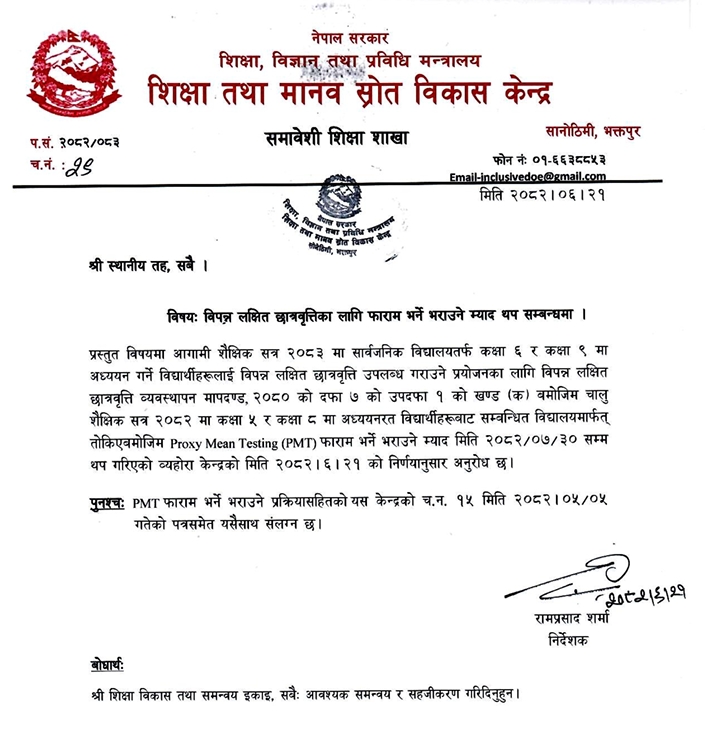
The Center for Education and Human Resource Development (CEHRD), Inclusive Education Branch, has extended the form fill-up deadline until Kartik 30, 2082 (November 16, 2025), for students to study in Grade 6 and 9 under the Pro-Poor Targeted Scholarship (PPTS) in the upcoming academic year 2083.
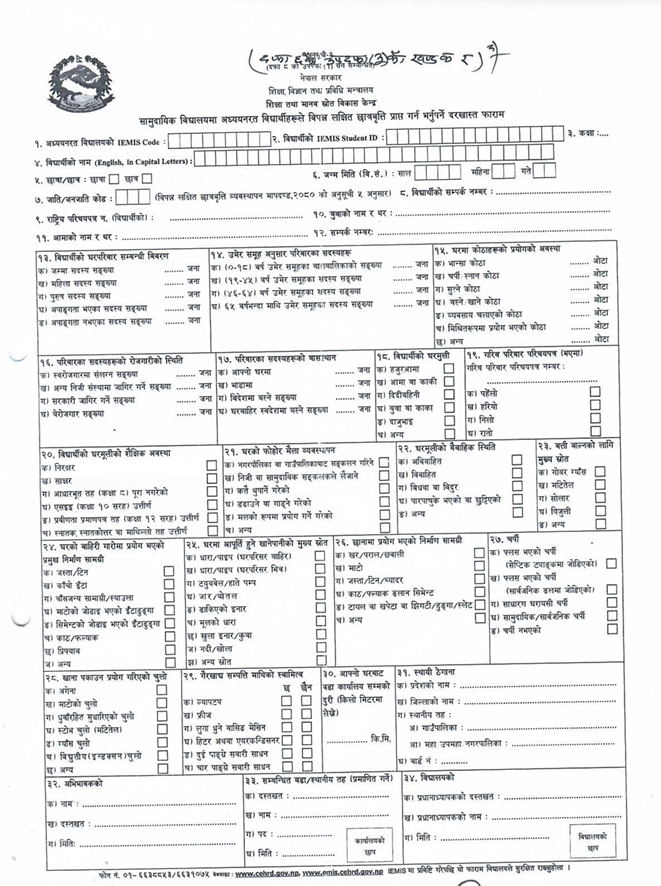
Earlier, the CEHRD announced the deadline to submit the form on Ashoj 16, 2082. PPTS scholarships will be provided to students of the current academic year 2082 who are studying in Grade 5 and 8 in community schools for studying in Grade 6 and 9 in the coming academic year 2083 in accordance with Section 7, Subsection 1(a) of the Scholarship Management Guidelines, 2080. To facilitate this process, schools must fill out the Proxy Means Testing (PMT) Form as specified in Schedule 1 of the guidelines.
This notice follows the CEHRD's decision on 2082/05/05. Schools must ensure the timely submission of the completed forms to support eligible students.
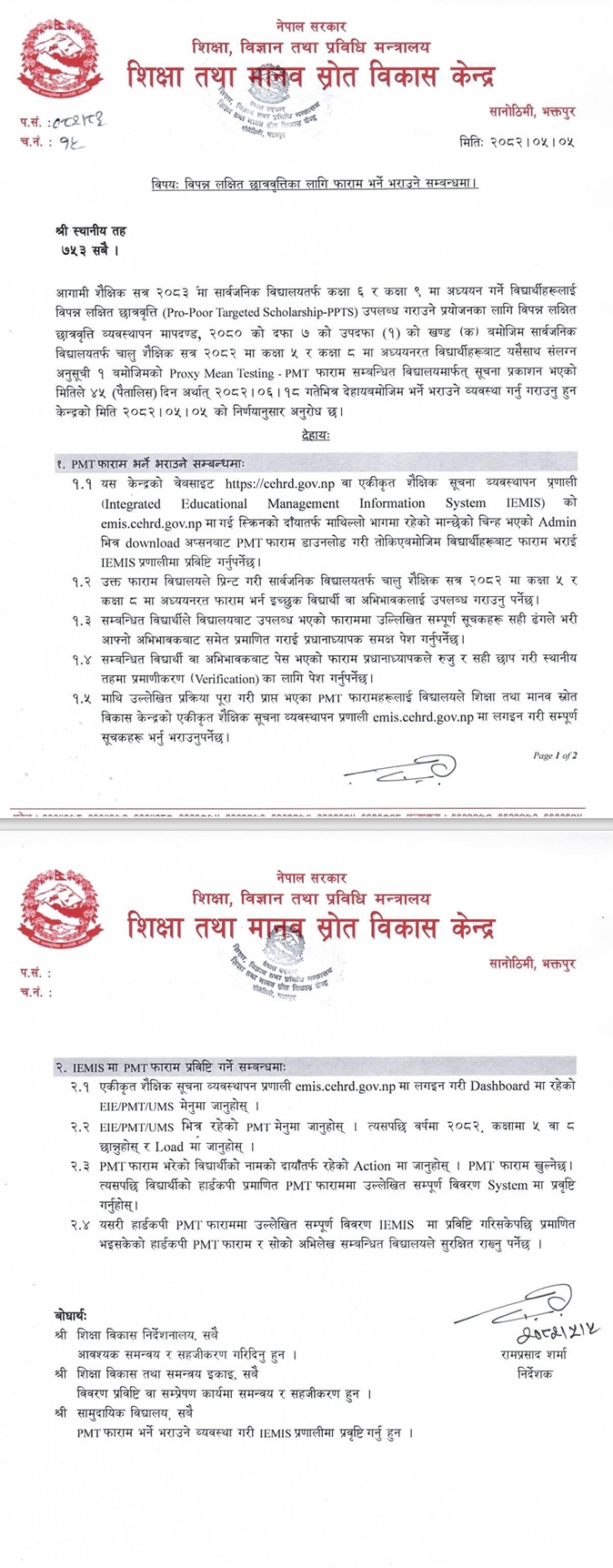
PMT Form Submission Instructions
- Accessing the Form
- Visit the official website: https://cehrd.gov.np or the Integrated Educational Management Information System (IEMIS): https://emis.cehrd.gov.np.
- Download the PMT form. Completed forms must be submitted to the IEMIS system within 45 days of this notice's publication.
- Role of Schools in Form Distribution
- Schools must print the PMT form and distribute it to Grade 5 and 8 students interested in applying.
- Responsibilities of Students and Guardians
- Concerned students must complete the form accurately, ensuring all fields and indicators are correctly filled, and must get verified by their guardian with a signature before submitting to the school principal
- The guardian must verify the form’s accuracy, sign it, and submit it to the school principal.
- Principal’s Responsibilities
- Principals are responsible for reviewing the forms submitted by students or guardians, verifying the provided information, and forwarding them to the local level for further verification.
- Data Entry in IEMIS
- Schools must log in to the IEMIS system (https://emis.cehrd.gov.np) and enter all required information from the completed PMT forms.
Steps for PMT Form Entry in IEMIS:
- Log in to https://emis.cehrd.gov.np and access the official IEMIS Dashboard to reach EIE/PMT/UMS.
- Go to the EIE/PMT/UMS menu and select the year 2082, along with Grade 5 and 8, and click "Load".
- Select "Action" displayed on the right side of the student's name to open the PMT form. Enter the verified information from the PMT form into the system with accuracy.
- After completing the data entry, please make sure the school stores the verified PMT forms.
Reference and Coordination
- Educational Development Directorate:
- Provincial offices are responsible for ensuring effective coordination and facilitation throughout the process.
- Educational Development and Coordination Unit:
- Support accurate entry and submission of information into the IEMIS system.
- All Community Schools:
- Adhere to the guidelines for form completion, data entry, and submission within the specified timeline.
View the official notice below:
Downloads:
विपन्न लक्षित छात्रवृतिका लागि फाराम भर्ने भराउने म्याद थप सम्बन्धमा.pdf